How to Run More Effective Business Meetings: A Practical Guide

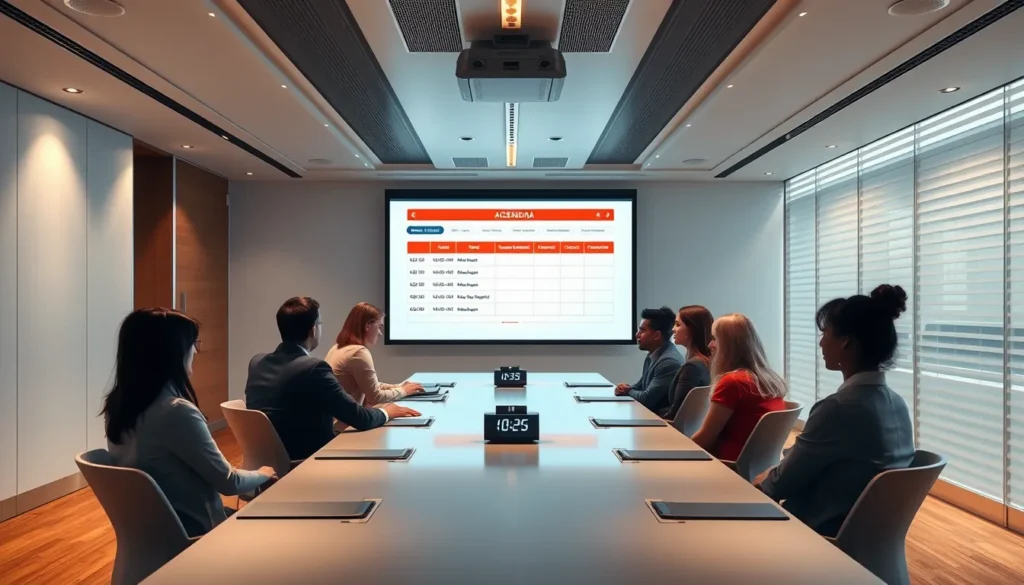
If you regularly schedule team briefings, client updates, or cross‑department workshops, this guide is for you. It breaks down the mechanics of a well‑run meeting so you can move from endless discussion to concrete results.
You’ll learn how to build an agenda that focuses on outcomes, act as an effective facilitator, secure a quorum, capture meeting minutes, and translate decisions into clear action items. Apply the steps and watch your meetings become shorter, more purposeful, and consistently productive. The process is repeatable, so each session builds on the last.
Defining the Purpose and Setting Boundaries
Before you draft an agenda, ask yourself why the gathering is needed at all. If the goal is simply to share information, consider an email summary, a recorded video update, or a shared document with comment threads. When the purpose is to generate ideas, a short async brainstorming board can replace a synchronous session. Reserve a live meeting only when real‑time interaction adds value—typically for decisions that require immediate alignment or for discussions that benefit from collective nuance.
Three common meeting purposes help clarify the “why”:
- Informational – participants receive updates and can ask clarification questions.
- Decision‑making – the group must reach a consensus or vote on a specific outcome.
- Brainstorming – the aim is to generate a range of ideas before narrowing them down.
Matching the purpose to the format prevents unnecessary gatherings. If the meeting is informational, a concise memo with a clear “read‑and‑acknowledge” request often suffices. For decision‑making, ensure the agenda lists the exact decision points and the criteria for approval. For brainstorming, set a time limit and use structured techniques (e.g., round‑robin or silent idea generation) to keep the session focused.
When a meeting is justified, limit attendance to those who directly influence the outcome. A practical heuristic is the “5‑person rule”: invite no more than five essential contributors—typically a facilitator, a decision owner, a subject‑matter expert, a stakeholder, and a recorder. If more people are needed, ask whether they can contribute asynchronously instead of sitting in the same room.
Crafting an Agenda That Drives Outcomes
With the right participants in place, the next step is to build an agenda that drives outcomes. A well‑crafted agenda is the single most reliable tool for keeping a meeting on track and ensuring that every minute contributes to the meeting’s purpose.
- Clear objectives: Start each agenda line with a verb‑driven goal (e.g., “Approve budget revision” or “Identify three risk mitigation actions”). Objectives tell the facilitator and attendees exactly what success looks like.
- Time allocations: Assign a realistic block of minutes to each item and total the sum to match the meeting’s start‑and‑end time. The facilitator should enforce these limits, moving on when the clock runs out.
- Pre‑read materials: Attach brief documents, data tables, or proposals that participants must review beforehand. This turns “discuss” items into informed conversations and frees up time for decision‑making.
- Item type – discuss vs. decide: Label each line as Discuss when the goal is to share information or explore options, and as Decide when the outcome must be a concrete resolution or an assigned action item. This distinction signals to the facilitator when a vote or consensus is required.
Send the agenda, along with any pre‑reads, at least 24 hours before the meeting. Give participants enough time to prepare questions and gather data, which raises the quorum’s overall readiness. Finally, communicate a strict start and end time in the invitation; the facilitator should begin on schedule, close on time, and note any overruns in the meeting minutes for future planning.
Facilitating the Conversation
When the meeting begins, the facilitator should signal the transition from opening remarks to the first agenda item, then set a clear time box for each discussion point. A visible timer or a simple “5‑minute check‑in” cue helps the quorum stay aware of pacing without interrupting the flow.
- Control dominant speakers: Acknowledge their contribution, then politely redirect with a phrase such as “Thanks, [Name]. Let’s hear from someone who hasn’t spoken yet.” If interruptions persist, use a “round‑robin” format where each participant gets a brief turn.
- Invite quiet participants: Scan the room or virtual gallery for blank faces, then ask open‑ended questions like “What’s your perspective on this, [Name]?” Pair this with a brief “parking lot” note in the meeting minutes for any ideas that need more time.
- Manage conflict: When disagreement arises, the facilitator restates the points of contention, asks each side to summarize the other’s view, and then proposes a short, structured decision method (e.g., voting or a pros‑cons list). This keeps emotions in check and moves the conversation toward resolution.
For virtual sessions, turn on video to read non‑verbal cues, and designate the chat for side comments or links. The facilitator can periodically pause the audio to address chat items, ensuring no thread is lost. Use breakout rooms for deep dives, then reconvene to capture action items and update the meeting minutes.
By actively shaping the dialogue, the facilitator turns a routine gathering into a focused, result‑driven exchange—an essential skill for anyone learning how to run more effective business meetings.
Making Decisions and Assigning Actions
When the discussion reaches its natural end, the facilitator must lock in a decision before moving on. A decision is a definitive answer to the question raised—approval, rejection, or selection of an option. It does not prescribe who will do what; it simply resolves the issue on the agenda.
Immediately after stating the decision, translate it into one or more action items. A valid action item includes three elements:
- Who: the specific person or team responsible.
- What: a concise description of the task to be completed.
- When: a clear deadline or milestone date.
Example: “John will draft the revised pricing model (What) and circulate it to the sales leads (Who) by Friday, 5 pm (When).” This format eliminates ambiguity and ensures that every participant knows the next step.
Before the meeting adjourns, the facilitator should read back each decision and its associated action items, confirming acceptance from the responsible parties. This final verification creates a “decision‑action” loop that prevents follow‑up questions and keeps the meeting minutes focused on outcomes.
Remember, a decision answers “what do we choose?” while an action item answers “who will make it happen and by when?” Keeping this distinction clear is a core habit for anyone learning how to run more effective business meetings.
Documenting and Following Up
Once the decision‑action loop is closed, the next critical step is capturing it in clear meeting minutes. A good minute record reads like a snapshot: title of the decision, the responsible party, and the due date. Avoid verbatim dialogue; instead, summarize each agenda point with a bullet that states the outcome and any associated action items. Use bold for the decision and italic for the assignee to make scanning easy.
Distribute the minutes within 24 hours while the discussion is still fresh. Send them to all participants and any stakeholders who need to stay informed, even if they were not present. A prompt delivery reinforces accountability and gives everyone a reference point for the next gathering.
Follow‑up should be systematic. Add each action item to a shared tracker that flags the owner, deadline, and status. At the start of the next meeting, the facilitator reviews the tracker, asks for brief updates, and marks completed items. For items due between meetings, a quick email or chat check‑in from the facilitator keeps momentum without waiting for the next agenda slot.
By treating minutes as a living document—concise, action‑oriented, and promptly shared—you close the loop on every discussion and embed the habit of continuous progress, a cornerstone of how to run more effective business meetings.
